Samsung DG94-04167A Range Knob
$165.16


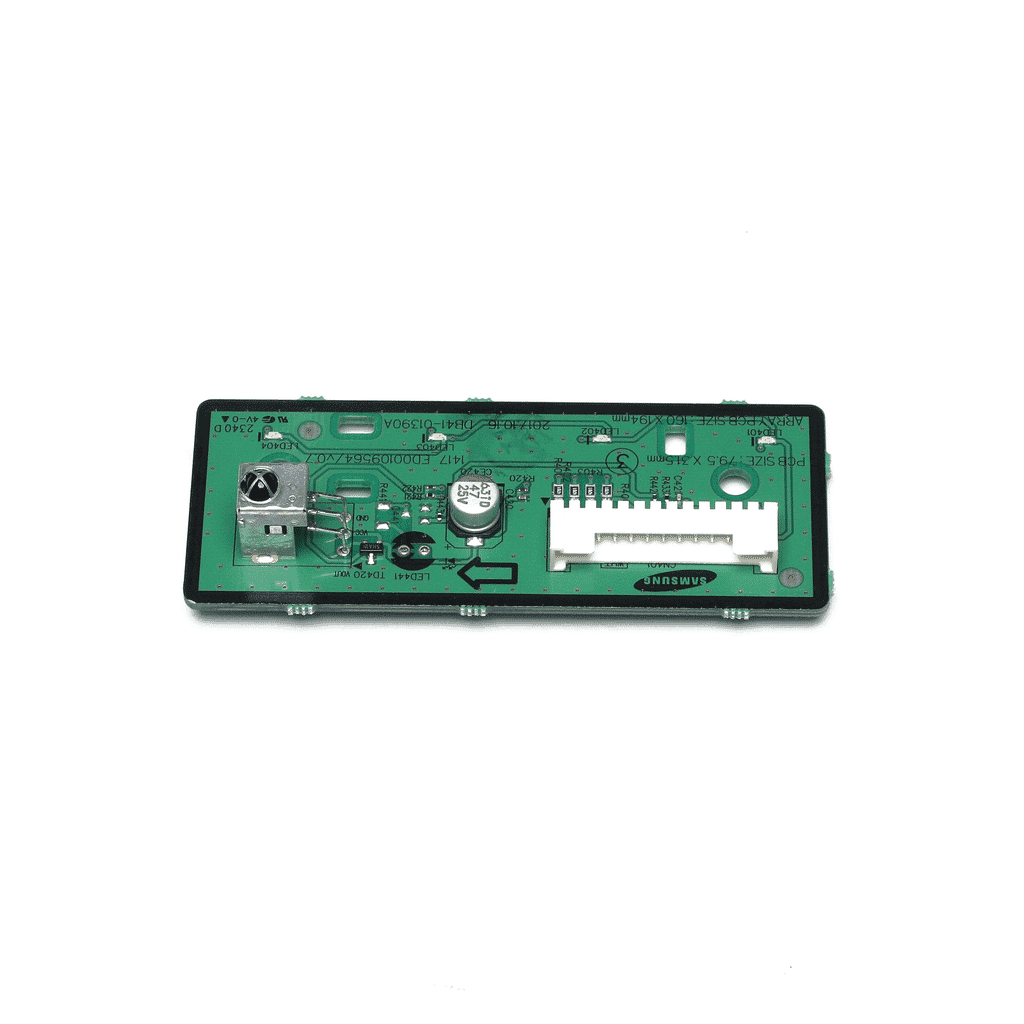
Restore the visual interface and status monitoring of your indoor unit with the Samsung Air Conditioner Display PCB Assembly DB92-04404A. This component acts as the primary communication link between the system and the user, housing the LED or LCD indicators that show temperature settings, operation modes, and diagnostic error codes. It also typically contains the infrared IR receiver that captures signals from your remote control. If your unit is not responding to the remote, or if the digital display is dim, flickering, or completely blank, this assembly is often the part requiring replacement.
The DB92-04404A is built on a high-precision circuit board with surface-mounted LEDs designed for long-term clarity and brightness. The assembly is engineered to fit perfectly behind the units front fascia, ensuring that the light indicators align correctly with the display windows on the exterior panel.
Installation / Replacement Instructions
1. Safety First: Turn off the air conditioner and disconnect the power supply at the main circuit breaker.
2. Open the Front Panel: Lift the intake grille of the indoor unit to reveal the mounting screws for the main front housing.
3. Remove the Main Housing: Unscrew the fasteners and gently unclip the front cover assembly to access the internal control box area where the display is mounted.
4. Locate the Display Assembly: The DB92-04404A is usually attached to the back of the front cover or mounted on a plastic bracket near the right side of the unit.
5. Disconnect the Wiring: Carefully unplug the ribbon cable or wire harness that connects the display board to the main PCB. Use a small tool to release the locking tabs if necessary.
6. Swap the Board: Remove the small screws or plastic clips holding the display assembly in place. Install the new DB92-04404A, ensuring the IR receiver and LEDs are positioned correctly.
7. Reassemble and Test: Reconnect the wiring harness, reinstall the housing, and close the intake grille. Restore power and use your remote to verify that the display illuminates and the unit responds to commands.
Compatible with select Samsung split-system indoor units, this OEM-quality display panel restores the clear status feedback and remote responsiveness originally designed for your system.
Key Features
AC Display PCB Assembly - Part number DB92-04404A
Integrated IR Receiver - Restores reliable communication between the remote and the unit
High-Clarity LED Interface - Provides clear visual feedback on temperature and system status
Precision Fit Design - Ensures LEDs align perfectly with the units exterior display windows
Compatible with Select Samsung Models - Direct replacement for a factory-standard electrical fit
OEM-Quality Part - Restores original user interface functionality and diagnostic visibility
Part


Part


Part

Part


Part


Part


Part
Part
Part
Part
Part
Part
Part


Part

You currently have 0 items in your Wishlist

Use Coupon code and get 10% off on your order!