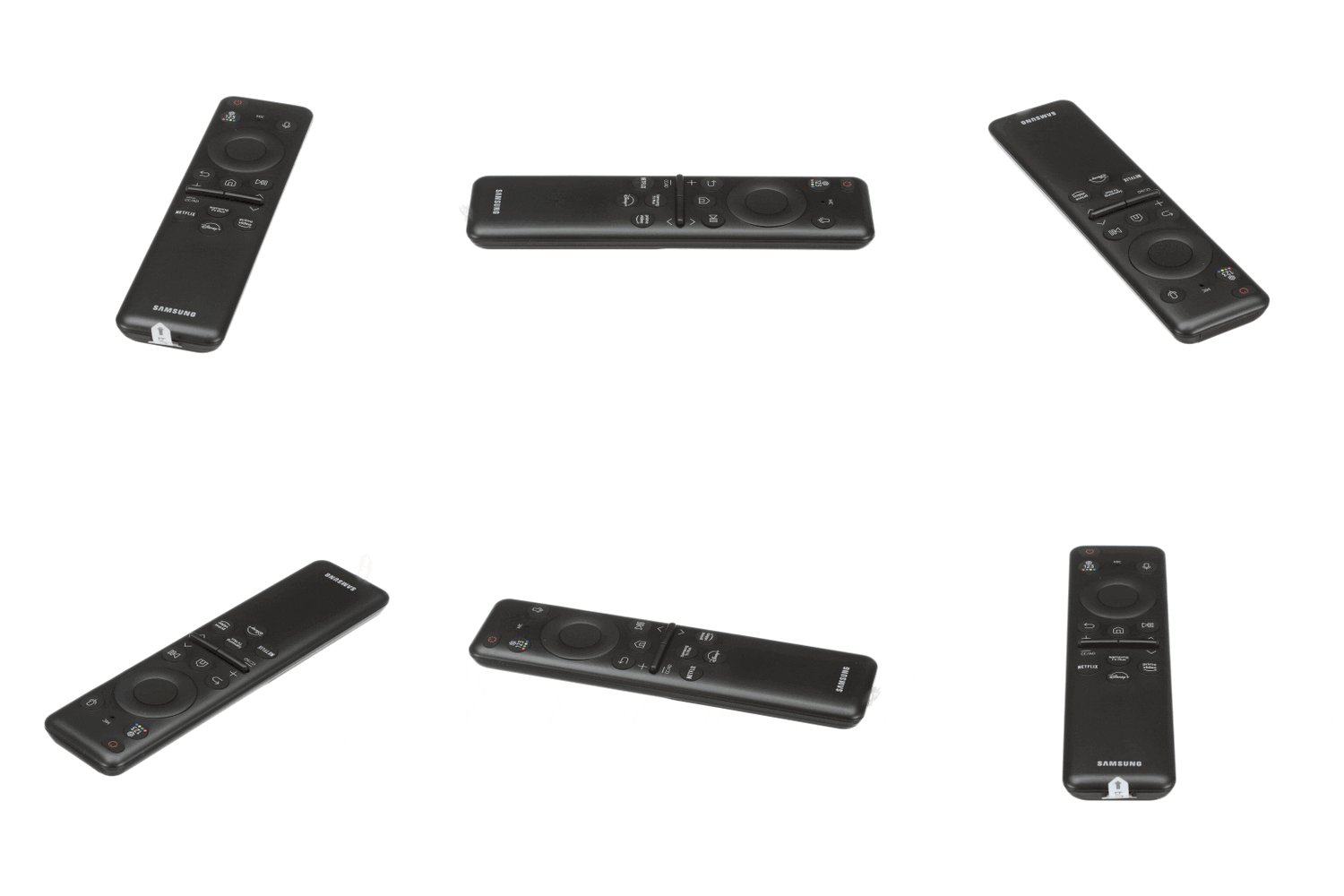
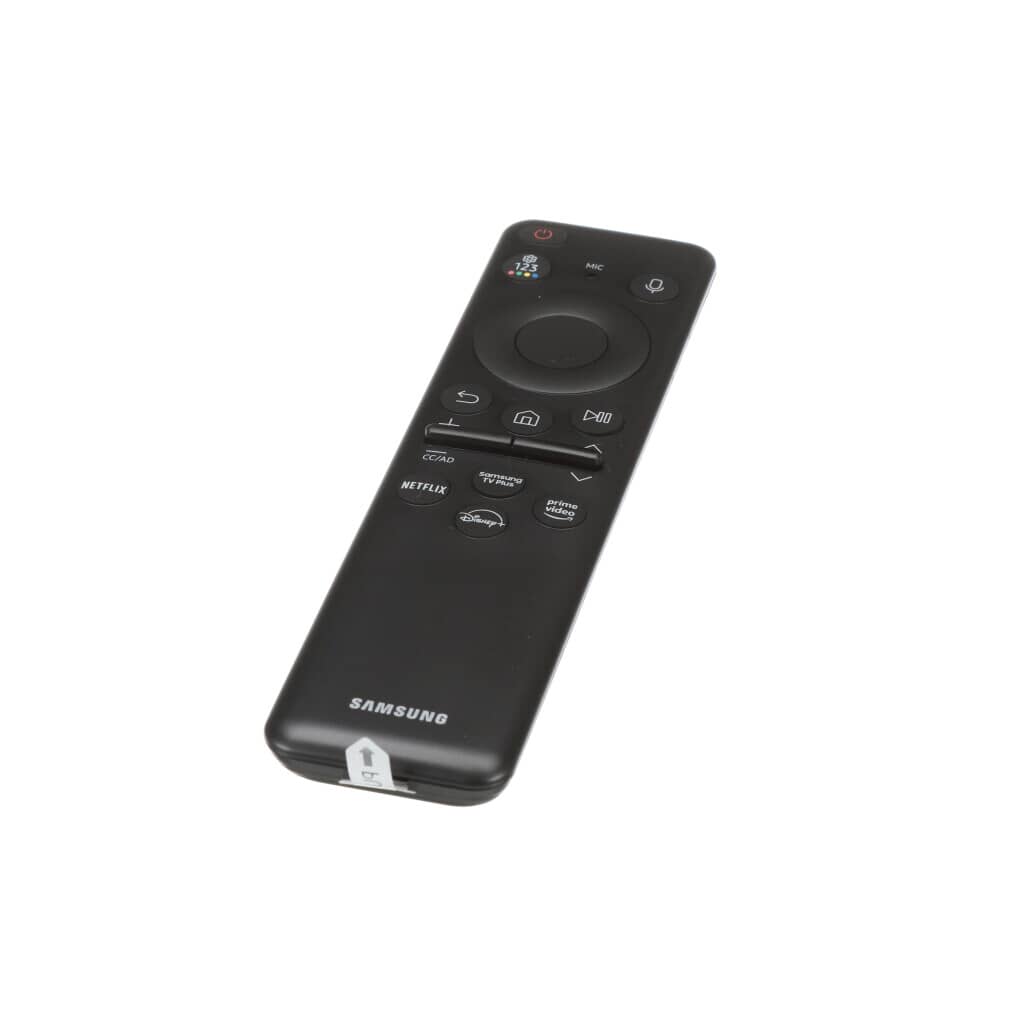
Samsung TV Remote Control - BN59-01432A
Take control of your entertainment with the Samsung BN59-01432A TV Remote Control. Designed for effortless navigation and seamless functionality. Provides quick access to your favorite channels and settings. Crafted for comfortable handling and responsive performance. Enjoy convenient control with a reliable and easy-to-use remote. Read More

154.10 CAD

Compatible models

The Samsung TV Remote Control - BN59-01432A is the correct replacement for the following model numbers.

Description

Samsung TV Remote Control – BN59-01432A

Restore full control of your Samsung television with the Samsung BN59-01432A TV Remote Control. Over time, remotes can stop responding, develop unresponsive buttons, or become damaged from drops and everyday wear. This genuine OEM Samsung remote is engineered for seamless compatibility and reliable performance—giving you smooth navigation, quick access to settings, and effortless control of your TV.

Whether your original remote is lost, cracked, or no longer functioning properly, the BN59-01432A provides a fast and hassle-free replacement. Designed by Samsung for precise functionality, this remote works right out of the box with compatible models—no complicated programming, no technical setup, and no guesswork required.

100% Original Part:
Guaranteed genuine, high-quality parts designed to match your appliance specifications perfectly.

Perfect Fit:
Precision-engineered to seamlessly replace your existing part for optimal performance.

Fast Shipping:
Quick delivery ensures your appliance is up and running without unnecessary delays.

Easy Return:
Hassle-free returns for peace of mind if the part doesn’t meet your expectations.

Samsung TV Remote Control BN59-01432A – Effortless Entertainment Control

Why Choose the BN59-01432A Remote?
  • Responsive Button Control: Enjoy accurate, lag-free command input for channels, volume, and smart features.
  • Genuine OEM Quality: Manufactured by Samsung to ensure full compatibility and long-term reliability.
  • Plug-and-Play Setup: No complex pairing required for most supported models.
  • Durable Construction: Built with high-quality components to withstand daily use.
How to Identify If the BN59-01432A Fits Your Samsung TV

Not all Samsung remotes are universal. Confirm compatibility before purchasing by checking your model number:

  • Back of the TV: Locate the model number label on the rear panel.
  • TV Settings Menu: Navigate to Settings > Support > About This TV to find your model details.
  • User Manual or Original Box: The full model number is typically listed there.
  • Compatible Model Examples: UN55TU7000FXZA, UN50AU8000FXZA, UN65RU7100FXZA, and other Samsung TVs specified for BN59-01432A.
How to Replace the Samsung BN59-01432A TV Remote

Replacing your remote is quick and simple:

  1. Insert batteries – Open the battery compartment and install compatible batteries (typically AAA).
  2. Point toward the TV – Aim directly at the TV’s sensor.
  3. Start using it immediately – Most compatible Samsung TVs recognize the remote automatically.

If required, follow the on-screen pairing instructions for specific smart models. Within minutes, you’ll regain full access to your TV’s features and settings.

Product Technical Details
Feature Details
Brand Samsung
Type TV Remote Control
Part Number BN59-01432A
Connectivity Technology Infrared (IR)
Compatible Devices Select Samsung LED, LCD, UHD, and Smart TVs
Material High-Quality ABS Plastic
Color Black
Power Source 2 x AAA Batteries (Not Included)
Included Components Single Samsung BN59-01432A Remote Control
Country of Origin This item will be imported from the US
Item Weight Approximately 0.22 pounds (0.10 kg)
Product Dimensions 7.1 x 1.8 x 0.9 inches
Number of Packs 1
Maintenance Tips for Long-Lasting Performance
  • Replace Batteries Promptly: Weak batteries can cause delayed or inconsistent responses.
  • Keep Clean: Wipe the surface regularly with a soft, dry cloth to prevent dirt buildup.
  • Avoid Drops: Use with care to prevent internal circuit damage.
  • Store Safely: Keep away from moisture and extreme heat to protect electronic components.

People Also Ask – Samsung BN59-01432A TV Remote Control

Q. Do I need to program the Samsung BN59-01432A TV remote before use?

A. In most cases, no programming is required. Simply insert two fresh AAA batteries and point the remote at your compatible Samsung TV. The television typically detects the remote automatically and responds instantly. For certain smart models, minimal on-screen pairing instructions may appear, which can be completed in just a few seconds.

Q. How do I know if the Samsung BN59-01432A TV remote is compatible with my TV?

A. To confirm compatibility, check your TV’s full model number on the back panel, inside the settings menu, or in the user manual. This remote is designed specifically for select Samsung TV models and is not universal. Matching the exact model ensures full access to volume, channel, menu, and smart features without limitations.

Q. What should I do if the Samsung BN59-01432A TV remote is not responding?

A. Start by replacing the batteries with new, high-quality AAA batteries and ensure they are installed correctly. Make sure there are no obstructions between the remote and the TV’s infrared sensor. If the issue continues, verify that your television model supports the BN59-01432A and confirm the sensor on the TV is clean and unobstructed.

Q. Is the Samsung BN59-01432A TV remote a genuine OEM remote?

A. Yes, the BN59-01432A is a 100% genuine OEM Samsung replacement remote. It is manufactured to the same specifications as the original remote that came with your TV. Using an OEM remote guarantees proper compatibility, reliable performance, and full access to all original features without programming complications.

Q. Can I use the Samsung BN59-01432A TV remote as a replacement for a lost remote?

A. Absolutely. The BN59-01432A is specifically designed to replace the original remote for compatible Samsung TV models. It restores complete functionality, including power control, volume adjustment, input selection, and access to smart TV apps. It works just like the original remote when paired with the correct model.

Q. Does this Samsung BN59-01432A remote support smart TV features?

A. Yes, the BN59-01432A supports smart TV functions on compatible Samsung models. You can access streaming apps, navigate menus, adjust settings, and switch inputs with ease. Full smart feature support depends on your specific TV model, so verifying compatibility is recommended before purchase.

Q. What type of batteries does the Samsung BN59-01432A TV remote require?

A. The remote operates using two AAA batteries, which are not included with the purchase. For optimal performance, use high-quality alkaline batteries and replace them when response time slows. Fresh batteries help maintain consistent signal strength and smooth button responsiveness.

Q. What if the Samsung BN59-01432A TV remote does not work with my TV?

A. Before purchasing, always verify your TV’s exact model number to ensure compatibility. If the remote does not function with your television, you can return it through the standard return process. Customer support can also help confirm the correct replacement part for your specific Samsung TV model.

Samsung TV Remote Control – BN59-01432A

Restore full control of your Samsung television with the Samsung BN59-01432A TV Remote Control. Over time, remotes can stop responding, develop unresponsive buttons, or become damaged from drops and everyday wear. This genuine OEM Samsung remote is engineered for seamless compatibility and reliable performance—giving you smooth navigation, quick access to settings, and effortless control of your TV.

Whether your original remote is lost, cracked, or no longer functioning properly, the BN59-01432A provides a fast and hassle-free replacement. Designed by Samsung for precise functionality, this remote works right out of the box with compatible models—no complicated programming, no technical setup, and no guesswork required.

100% Original Part:
Guaranteed genuine, high-quality parts designed to match your appliance specifications perfectly.

Perfect Fit:
Precision-engineered to seamlessly replace your existing part for optimal performance.

Fast Shipping:
Quick delivery ensures your appliance is up and running without unnecessary delays.

Easy Return:
Hassle-free returns for peace of mind if the part doesn’t meet your expectations.

Samsung TV Remote Control BN59-01432A – Effortless Entertainment Control

Why Choose the BN59-01432A Remote?
  • Responsive Button Control: Enjoy accurate, lag-free command input for channels, volume, and smart features.
  • Genuine OEM Quality: Manufactured by Samsung to ensure full compatibility and long-term reliability.
  • Plug-and-Play Setup: No complex pairing required for most supported models.
  • Durable Construction: Built with high-quality components to withstand daily use.
How to Identify If the BN59-01432A Fits Your Samsung TV

Not all Samsung remotes are universal. Confirm compatibility before purchasing by checking your model number:

  • Back of the TV: Locate the model number label on the rear panel.
  • TV Settings Menu: Navigate to Settings > Support > About This TV to find your model details.
  • User Manual or Original Box: The full model number is typically listed there.
  • Compatible Model Examples: UN55TU7000FXZA, UN50AU8000FXZA, UN65RU7100FXZA, and other Samsung TVs specified for BN59-01432A.
How to Replace the Samsung BN59-01432A TV Remote

Replacing your remote is quick and simple:

  1. Insert batteries – Open the battery compartment and install compatible batteries (typically AAA).
  2. Point toward the TV – Aim directly at the TV’s sensor.
  3. Start using it immediately – Most compatible Samsung TVs recognize the remote automatically.

If required, follow the on-screen pairing instructions for specific smart models. Within minutes, you’ll regain full access to your TV’s features and settings.

Product Technical Details
Feature Details
Brand Samsung
Type TV Remote Control
Part Number BN59-01432A
Connectivity Technology Infrared (IR)
Compatible Devices Select Samsung LED, LCD, UHD, and Smart TVs
Material High-Quality ABS Plastic
Color Black
Power Source 2 x AAA Batteries (Not Included)
Included Components Single Samsung BN59-01432A Remote Control
Country of Origin This item will be imported from the US
Item Weight Approximately 0.22 pounds (0.10 kg)
Product Dimensions 7.1 x 1.8 x 0.9 inches
Number of Packs 1
Maintenance Tips for Long-Lasting Performance
  • Replace Batteries Promptly: Weak batteries can cause delayed or inconsistent responses.
  • Keep Clean: Wipe the surface regularly with a soft, dry cloth to prevent dirt buildup.
  • Avoid Drops: Use with care to prevent internal circuit damage.
  • Store Safely: Keep away from moisture and extreme heat to protect electronic components.

People Also Ask – Samsung BN59-01432A TV Remote Control

Q. Do I need to program the Samsung BN59-01432A TV remote before use?

A. In most cases, no programming is required. Simply insert two fresh AAA batteries and point the remote at your compatible Samsung TV. The television typically detects the remote automatically and responds instantly. For certain smart models, minimal on-screen pairing instructions may appear, which can be completed in just a few seconds.

Q. How do I know if the Samsung BN59-01432A TV remote is compatible with my TV?

A. To confirm compatibility, check your TV’s full model number on the back panel, inside the settings menu, or in the user manual. This remote is designed specifically for select Samsung TV models and is not universal. Matching the exact model ensures full access to volume, channel, menu, and smart features without limitations.

Q. What should I do if the Samsung BN59-01432A TV remote is not responding?

A. Start by replacing the batteries with new, high-quality AAA batteries and ensure they are installed correctly. Make sure there are no obstructions between the remote and the TV’s infrared sensor. If the issue continues, verify that your television model supports the BN59-01432A and confirm the sensor on the TV is clean and unobstructed.

Q. Is the Samsung BN59-01432A TV remote a genuine OEM remote?

A. Yes, the BN59-01432A is a 100% genuine OEM Samsung replacement remote. It is manufactured to the same specifications as the original remote that came with your TV. Using an OEM remote guarantees proper compatibility, reliable performance, and full access to all original features without programming complications.

Q. Can I use the Samsung BN59-01432A TV remote as a replacement for a lost remote?

A. Absolutely. The BN59-01432A is specifically designed to replace the original remote for compatible Samsung TV models. It restores complete functionality, including power control, volume adjustment, input selection, and access to smart TV apps. It works just like the original remote when paired with the correct model.

Q. Does this Samsung BN59-01432A remote support smart TV features?

A. Yes, the BN59-01432A supports smart TV functions on compatible Samsung models. You can access streaming apps, navigate menus, adjust settings, and switch inputs with ease. Full smart feature support depends on your specific TV model, so verifying compatibility is recommended before purchase.

Q. What type of batteries does the Samsung BN59-01432A TV remote require?

A. The remote operates using two AAA batteries, which are not included with the purchase. For optimal performance, use high-quality alkaline batteries and replace them when response time slows. Fresh batteries help maintain consistent signal strength and smooth button responsiveness.

Q. What if the Samsung BN59-01432A TV remote does not work with my TV?

A. Before purchasing, always verify your TV’s exact model number to ensure compatibility. If the remote does not function with your television, you can return it through the standard return process. Customer support can also help confirm the correct replacement part for your specific Samsung TV model.

Read More

Shipping & delivery

Does this part fit my model?

    Have a question?