BN96-39820H Ffc Cable
$28.95


Samsung DC93-00634A Dryer Idler
$112.95


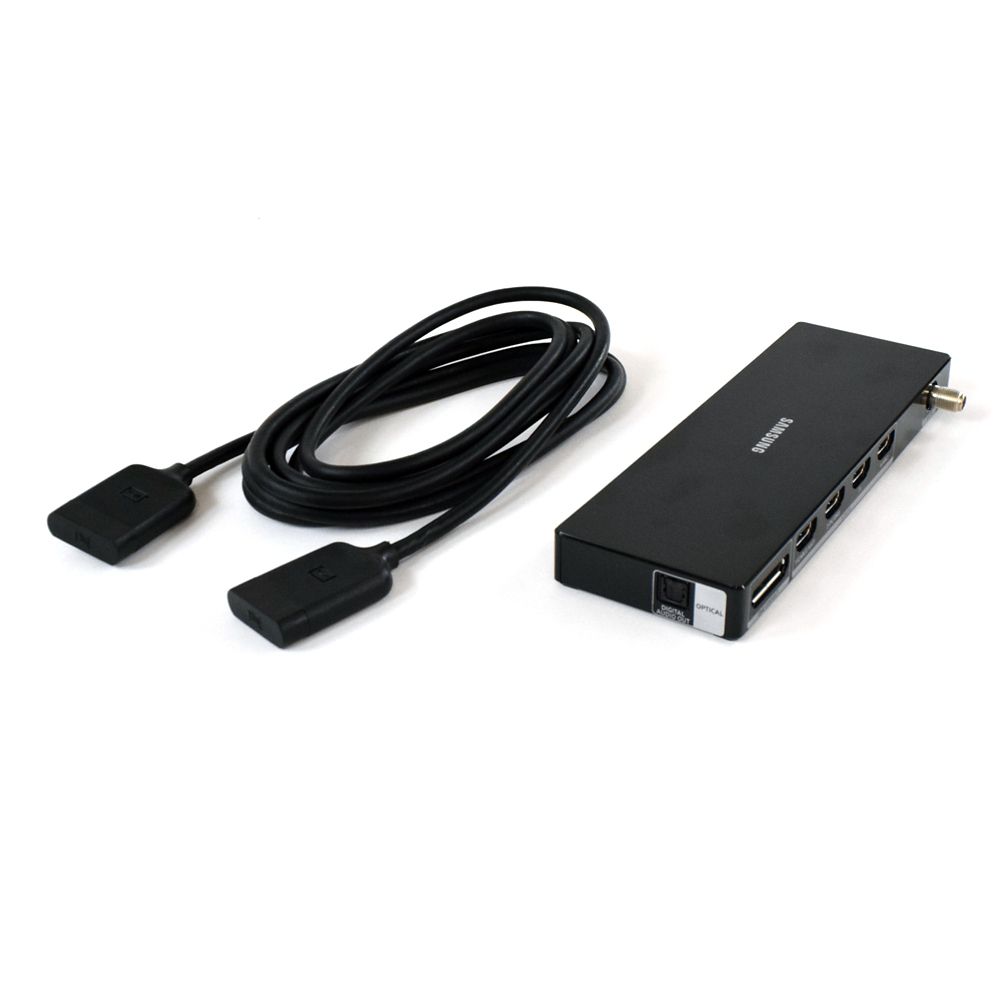
Restore seamless connectivity and premium performance to your Samsung television with the Samsung TV One Connect Box - BN91-17814W. Designed to centralize all your TV’s external connections into one sleek hub, this genuine OEM Samsung component eliminates cable clutter while delivering stable signal transmission for video, audio, and data. If your current One Connect Box is malfunctioning, not powering on, or failing to detect HDMI devices, replacing it with the original BN91-17814W ensures your TV operates exactly as intended.
Over time, power surges, loose connections, or internal component wear can cause signal dropouts, screen flickering, or complete input failure. This Samsung-engineered One Connect Box restores full functionality, helping you reconnect gaming consoles, streaming devices, sound systems, and more—all through a single streamlined interface.
Guaranteed genuine, high-quality parts designed to perfectly match your appliance specifications.
Precision-engineered to replace your existing part for optimal performance seamlessly.
Quick delivery ensures your appliance is up and running without unnecessary delays.
Hassle-free returns for peace of mind if the part doesn’t meet your expectations.
Not all One Connect Boxes are universal. Always verify compatibility before purchasing. Here’s how:
Using the correct part number ensures proper communication between your TV panel and connected devices.
Replacing your One Connect Box is straightforward:
Once installed, your Samsung TV will regain stable connectivity, crisp visuals, and uninterrupted performance.
| Feature | Details |
|---|---|
| Brand | Samsung |
| Product Type | TV One Connect Box |
| Color | Black |
| Material | High-Grade Electronic Components & Durable ABS Housing |
| Connectivity Ports | HDMI, USB, LAN (Ethernet), RF Input, Digital Audio Out (model dependent) |
| Included Components | Single Samsung BN91-17814W One Connect Box |
| Country of Origin | This item will be imported from the US |
| Item Weight | Approx. 2.2 lbs (1.0 kg) |
| Product Dimensions | Approx. 14 x 4 x 1.5 inches |
| Part Number | BN91-17814W |
| Power Requirement | Compatible with Samsung OEM power configuration |
| Number of Packs | 1 |
A. Replacing the BN91-17814W is simple. First, power off and unplug your TV. Disconnect the existing One Connect cable and remove the old box. Connect the cable securely to the new unit and reattach your HDMI, USB, and other device cables. Once powered on, your TV should recognize all inputs immediately. No advanced setup or professional installation is required.
A. The One Connect Box centralizes all external device connections into one hub. Instead of plugging devices directly into the TV panel, everything connects to the box, which communicates with the screen via a single cable. This design reduces cable clutter, improves organization, and maintains a clean, modern setup.
A. Common signs include HDMI ports not detecting devices, no display signal, flickering screen, intermittent audio, or the TV not powering on properly. If troubleshooting cables and devices doesn’t resolve the issue, replacing the box with the correct OEM part, like BN91-17814W, often restores full functionality.
A. Yes, this is a 100% genuine OEM Samsung component. Using an original One Connect Box ensures perfect compatibility, reliable performance, and safe power regulation. Aftermarket alternatives may cause connectivity issues or long-term damage to your television.
A. No, One Connect Boxes are model-specific. Always match the exact part number listed on your existing unit or confirm compatibility using your TV model number. Using the wrong box can result in display failure or incomplete functionality.
A. If your current box is malfunctioning or causing signal instability, replacing it can restore full-resolution video output and consistent audio performance. While it does not upgrade resolution, it ensures your TV delivers the original picture quality intended by Samsung.
A. No professional installation is required. The process is plug-and-play. Simply disconnect the old unit and connect the new one following proper power safety steps. Most users can complete the replacement in under 10–15 minutes.
A. First, double-check your TV model number and ensure all cables are securely connected. If compatibility issues persist, contact customer support for guidance. Easy return options are available if the part does not match your television model.
Part

Part


Part


Part


Part


Part


Part

Part


Part
Part
Part
Part
Part
Part
Part
Part
Part


You currently have 0 items in your Wishlist

Use Coupon code and get 10% off on your order!